Have you ever tried to take a photo inside? Was it dark or blurry? Taking good photos indoors can be tricky. But it is possible to get great pictures. You can learn how to use your camera. Knowing the right camera settings helps. Let’s learn about indoor portraits.
Taking indoor portraits does not need to be hard. You can take amazing photos inside. You just need to know a few things. Let’s find out how to make your pictures better.
Key Takeaways
- Use a wide aperture like f/1.8 or f/2.8 for blurry backgrounds in indoor portraits.
- Increase your ISO to 400–800 to brighten your photos without flash.
- Set your white balance to “Incandescent” or “Tungsten” for warm indoor light.
- Adjust shutter speed between 1/60 and 1/200 to avoid blurry images.
- Understanding the best camera settings indoor portraits helps capture beautiful moments.
Essential Camera Settings for Indoor Portraits

Taking amazing indoor portraits starts with understanding your camera. Many things affect how your photos look. Aperture, ISO, and shutter speed are key. Aperture controls how much light enters the camera. It also affects the background blur. ISO makes your camera more sensitive to light. But too high ISO can make your photos grainy. Shutter speed controls how long the camera sensor sees light. A fast shutter speed freezes motion. A slow shutter speed lets in more light but can cause blur. Getting the right balance of these three things is important. Then you can take clear and bright indoor portraits. Learning these camera settings will help you take better pictures. Remember to practice and have fun.
- Use a wide aperture (f/1.8 – f/2.8).
- Increase your ISO (400-800).
- Adjust shutter speed (1/60 – 1/200).
- Set white balance to “Incandescent.”
- Use a tripod for sharp images.
Finding the right camera settings might take some tries. Start with a wide aperture. This makes the background blurry. Then, adjust your ISO to make the picture brighter. Be careful not to make it too high, or the photo will be grainy. Next, set your shutter speed fast enough to stop blur. If the light is very low, use a tripod. A tripod keeps the camera still. Also, check your white balance. Indoor lights can make photos look yellow. Setting the white balance to “Incandescent” fixes this. Keep practicing with these camera settings. Soon, you’ll be taking great indoor portraits. The more you play with the settings, the better you’ll get.
Fun Fact or Stat: Did you know that professional photographers often spend hours adjusting camera settings to get the perfect shot? They use special tools and lights to make their photos look amazing.
What is Aperture?
Have you ever wondered how some photos have blurry backgrounds? This is because of aperture. Aperture is like the pupil of your eye. It controls how much light enters the camera. A wide aperture (like f/1.8 or f/2.8) lets in lots of light. It also makes the background blurry. This is great for portraits. It makes the person stand out. A narrow aperture (like f/8 or f/11) lets in less light. It makes everything in the photo sharp. This is good for landscapes. Understanding aperture helps you take better photos. It gives you control over the depth of field. Depth of field is how much of the photo is in focus. Experiment with different aperture settings. See how they change your photos. You’ll learn to use aperture like a pro.
Why Adjust ISO?
Imagine you are in a dark room. You can’t see very well. Your camera feels the same way in low light. That’s where ISO comes in. ISO makes your camera more sensitive to light. The higher the ISO, the brighter the photo. But there’s a catch. High ISO can make your photos grainy. Grainy photos don’t look very good. So, you want to use the lowest ISO you can. For indoor portraits, start with ISO 400 or 800. If the photo is still too dark, increase the ISO. But watch out for the grain. Some cameras handle high ISO better than others. Try taking some test shots at different ISO settings. See how your camera performs. This helps you find the best balance between brightness and grain.
How Does Shutter Speed Affect Portraits?
Have you ever tried to take a photo of something moving fast? It can be blurry, right? That’s because of shutter speed. Shutter speed is how long the camera sensor sees light. A fast shutter speed (like 1/200 second) freezes motion. This is good for sports photos. A slow shutter speed (like 1/30 second) lets in more light. But it can cause blur if something moves. For indoor portraits, you want a shutter speed that’s fast enough to avoid blur. Start with 1/60 second. If you are using a zoom lens, you might need a faster shutter speed. A tripod can help too. It keeps the camera still. Experiment with different shutter speeds. See how they affect your photos. You’ll learn to choose the right shutter speed for any situation.
Understanding White Balance for Indoor Photos

Have you noticed that indoor lights can make photos look yellow? This is because of white balance. White balance tells your camera what “white” should look like. Different lights have different colors. Sunlight is different from light bulbs. Your camera needs to know this. If the white balance is wrong, the colors in your photo will be off. For indoor portraits, try setting the white balance to “Incandescent” or “Tungsten.” These settings are made for indoor lights. Some cameras have an “Auto” white balance setting. This can work sometimes, but it’s not always perfect. It’s better to choose the right setting yourself. You can also adjust the white balance in photo editing software. But it’s easier to get it right in the camera. Play around with the white balance settings. See how they change the colors in your photos. You’ll be amazed at the difference it makes.
- Set white balance to “Incandescent” or “Tungsten.”
- Avoid “Auto” white balance in tricky lighting.
- Adjust white balance in photo editing if needed.
- Use a gray card for perfect white balance.
- Understand how different lights affect color.
Getting the white balance right can be tricky. But it’s worth the effort. When the colors are accurate, your photos look more natural. Imagine taking a portrait of someone with yellow skin. That doesn’t look very good, does it? Setting the white balance to “Incandescent” fixes this. It removes the yellow tint. The person’s skin looks normal. You can also use a gray card to set the white balance. A gray card is a special card that’s perfectly gray. Your camera can use it to measure the color of the light. This gives you the most accurate white balance. Experiment with different white balance settings. See how they affect your photos. You’ll learn to choose the right setting for any situation. This will make your indoor portraits look amazing. Remember, practice makes perfect.
Fun Fact or Stat: The human eye can adjust to different colors of light automatically, but cameras need to be told what “white” should look like! This is why white balance is so important.
What is the “Incandescent” Setting?
Do you know those old-fashioned light bulbs that give off a warm, yellow light? Those are incandescent bulbs. The “Incandescent” white balance setting is made for those lights. It tells your camera to remove the yellow tint. This makes the colors in your photo look more natural. If you don’t use the “Incandescent” setting, your photos will look too yellow. This is especially important for indoor portraits. You want the person’s skin to look normal. The “Incandescent” setting helps with this. It’s like putting on a pair of glasses that correct the colors. Experiment with the “Incandescent” setting. See how it changes your photos. You’ll be amazed at the difference it makes. Your indoor portraits will look much better. Remember to adjust the white balance whenever you change the lighting.
Why Not Use “Auto” White Balance?
The “Auto” white balance setting sounds like a good idea, right? It’s supposed to figure out the white balance for you. But it doesn’t always work perfectly. Sometimes it gets confused. It might make the colors look wrong. This is especially true in tricky lighting situations. Like when you have a mix of different lights. Or when the light is very dim. In these situations, it’s better to choose the white balance setting yourself. For indoor portraits, try “Incandescent” or “Tungsten.” These settings are more reliable than “Auto.” They’ll give you more accurate colors. Don’t rely on “Auto” all the time. Learn to choose the right white balance setting yourself. You’ll have more control over your photos. They’ll look much better.
How to Adjust White Balance in Editing?
Sometimes, even if you try your best, the white balance might still be off. Don’t worry. You can fix it in photo editing software. Most photo editing programs have a white balance adjustment tool. It lets you change the color temperature and tint of your photo. You can make the photo warmer or cooler. You can also remove any unwanted color casts. Like a yellow or blue tint. Adjusting the white balance in editing is easy. Just move the sliders until the colors look right. It’s like painting with light. But it’s always better to get the white balance right in the camera. This saves you time and effort in editing. And it gives you better results. But if you need to, don’t be afraid to adjust the white balance in editing. It can save a photo that would otherwise be unusable.
Using Natural Light for Stunning Indoor Portraits

Do you know the best light for portraits? It’s natural light. Natural light is the light from the sun. It’s soft and flattering. It makes people look their best. But how do you use natural light indoors? Find a window. The bigger the window, the more light you’ll get. Place the person near the window. But not directly in the sunlight. Direct sunlight can be harsh. It can create strong shadows. Instead, use the soft light that comes through the window. You can also use a white curtain to diffuse the light. This makes it even softer. Experiment with different angles. See how the light changes the person’s face. You’ll be amazed at how beautiful natural light can be. It’s the secret to stunning indoor portraits. Using natural light is free and easy. It’s the best way to make your portraits look professional.
- Use large windows for soft light.
- Avoid direct sunlight for softer portraits.
- Use white curtains to diffuse light.
- Position your subject near the window.
- Reflect light with a white board.
Using natural light for indoor portraits is easy. But there are a few tricks to know. First, pay attention to the time of day. The light is different at different times. Morning light is often soft and warm. Afternoon light can be harsher. The best time for portraits is usually in the late morning or early afternoon. Second, watch out for shadows. Shadows can make a portrait look dramatic. But they can also be unflattering. Try to position the person so that the shadows are soft and even. You can use a reflector to bounce light into the shadows. A reflector is a white or silver surface that reflects light. It helps to fill in the shadows and make the portrait brighter. Third, experiment with different poses. See how the light changes the person’s face. You’ll learn to find the most flattering angles.
Fun Fact or Stat: Many professional photographers prefer using natural light over artificial lights because it’s more flattering and natural-looking.
Why is Window Light Ideal?
Have you ever noticed how good you look in window light? Window light is ideal for portraits because it’s soft and diffused. This means that the light is spread out evenly. It doesn’t create harsh shadows. Instead, it wraps around the person’s face. This makes them look younger and more attractive. Window light is also a good color. It’s not too warm or too cool. It’s just right. This makes the person’s skin look natural. If you want to take great indoor portraits, find a window. It’s the best light source you can ask for. You don’t need expensive equipment. Just a window and a little bit of know-how. You’ll be amazed at the results. Your portraits will look like they were taken by a professional.
How to Avoid Harsh Shadows?
Harsh shadows can ruin a portrait. They can make the person look older and less attractive. So, how do you avoid them? The first step is to avoid direct sunlight. Direct sunlight creates strong, harsh shadows. Instead, use the soft light that comes through a window. You can also use a white curtain to diffuse the light. This makes it even softer. Another trick is to use a reflector. A reflector bounces light into the shadows. This fills them in and makes the portrait brighter. You can also try moving the person to a different location. Sometimes, just a few steps can make a big difference. Experiment with different positions. See how the shadows change. You’ll learn to find the most flattering light.
What is a Reflector?
A reflector is a simple tool that can make a big difference in your portraits. It’s just a white or silver surface that reflects light. You can buy a reflector at a camera store. Or you can make your own. Just use a piece of white cardboard or foam board. To use a reflector, place it opposite the window. It will bounce light back onto the person’s face. This fills in the shadows and makes the portrait brighter. A reflector is especially useful when you’re shooting in low light. Or when you want to soften the shadows. It’s like having a second light source. But it’s much cheaper and easier to use. Experiment with different angles and positions. See how the reflector changes the light. You’ll learn to use it like a pro.
Using Artificial Light for Professional Results
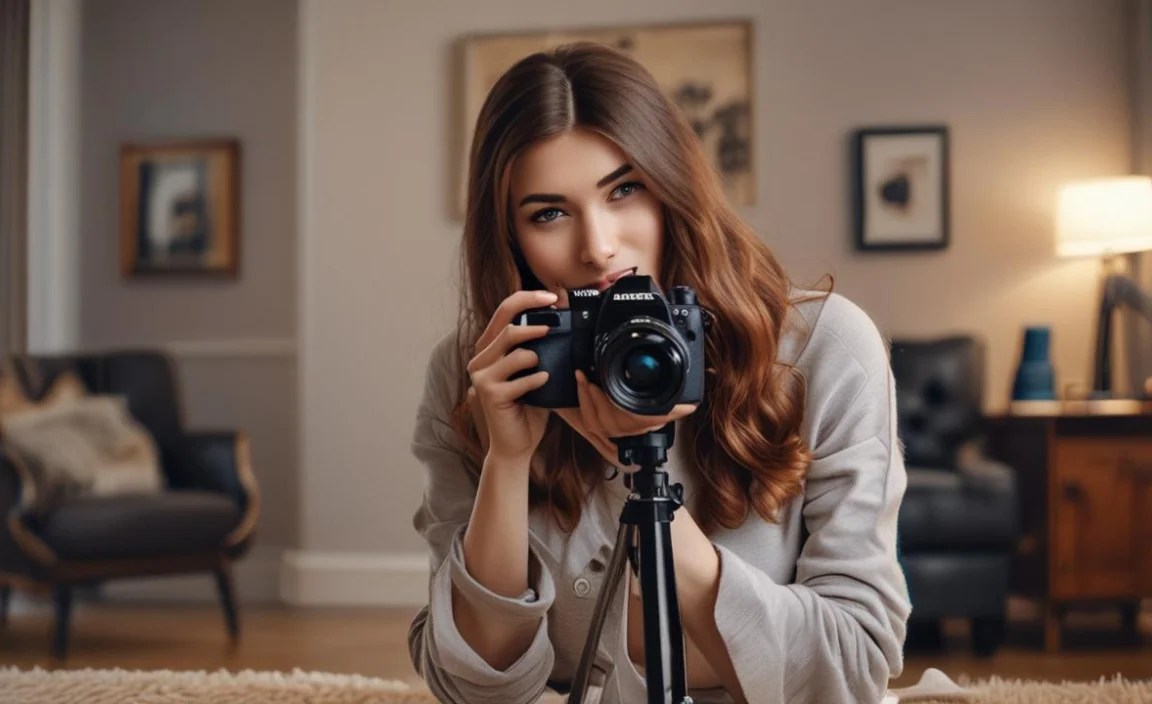
Sometimes, natural light isn’t enough. Or maybe it’s nighttime. That’s when you need to use artificial light. Artificial light can be tricky. But it can also give you great results. The key is to use it correctly. Start with a softbox or umbrella. These tools diffuse the light. They make it softer and more flattering. Avoid using direct flash. Direct flash is harsh and unflattering. It creates strong shadows. Instead, bounce the flash off the ceiling or a wall. This makes the light softer and more even. You can also use multiple lights. One light can be the main light. Another light can fill in the shadows. Experiment with different positions and angles. See how the light changes the person’s face. You’ll learn to create professional-looking indoor portraits with artificial light. These camera settings indoor portraits are very helpful.
- Use softboxes or umbrellas to diffuse light.
- Avoid direct flash for softer lighting.
- Bounce flash off ceilings or walls.
- Use multiple lights for balanced lighting.
- Adjust light intensity for perfect exposure.
Using artificial light takes practice. But it’s worth the effort. When you master artificial light, you can take great portraits in any situation. One important thing is to control the intensity of the light. Too much light can wash out the person’s face. Too little light can make the portrait too dark. Most artificial lights have a power setting. You can adjust this to control the intensity. You can also move the light closer or farther away from the person. Another important thing is to control the color of the light. Different lights have different colors. Some lights are warm (yellow). Some lights are cool (blue). You want to use lights that have a neutral color. This will make the person’s skin look natural. You can use gels to change the color of the light. Gels are colored plastic sheets that you put over the light.
Fun Fact or Stat: Professional studios use a “three-point lighting” setup: a key light, a fill light, and a backlight to create depth and dimension in portraits.
What are Softboxes and Umbrellas?
Softboxes and umbrellas are tools that make artificial light softer. They work by diffusing the light. This means they spread the light out evenly. This makes the light less harsh. It also reduces shadows. Softboxes are boxes covered in fabric. The light shines through the fabric. This creates a soft, diffused light. Umbrellas are shaped like umbrellas. The light bounces off the inside of the umbrella. This also creates a soft, diffused light. Softboxes and umbrellas are easy to use. Just attach them to your artificial light. Then, position the light near the person. Experiment with different angles. See how the light changes. You’ll be amazed at how much better your portraits look. Softboxes and umbrellas are a must-have for any photographer who uses artificial light.
Why Avoid Direct Flash?
Direct flash is when you point the flash directly at the person. This creates a harsh, unflattering light. It makes the person’s skin look shiny. It also creates strong shadows. Direct flash can also cause red-eye. Red-eye is when the person’s eyes look red in the photo. This is because the flash is reflecting off the back of their eyes. To avoid direct flash, try bouncing the flash. This means pointing the flash at the ceiling or a wall. The light will bounce off the surface. This creates a softer, more even light. You can also use a diffuser. A diffuser is a piece of plastic that you put over the flash. This spreads the light out. It makes it less harsh. Experiment with different techniques. See what works best for you. You’ll learn to avoid direct flash and take better portraits.
How to Use Multiple Lights?
Using multiple lights can give you more control over your portraits. One common setup is the three-point lighting setup. This involves three lights. The key light is the main light. It provides the most light. The fill light fills in the shadows. It makes the portrait brighter. The backlight separates the person from the background. It creates a halo effect around their head. To set up three-point lighting, place the key light to one side of the person. Place the fill light on the other side. Place the backlight behind the person. Adjust the intensity of each light. See how it changes the portrait. Experiment with different positions and angles. You’ll learn to create professional-looking portraits with multiple lights. Remember to adjust your camera settings indoor portraits to match the lighting.
Posing Techniques for Flattering Indoor Portraits

Posing is a very important part of portrait photography. The way you pose someone can make a big difference in how they look. Good posing can make someone look slimmer, taller, and more attractive. Bad posing can do the opposite. So, how do you pose someone for a flattering indoor portrait? Start by asking them to relax. Tell them to take a deep breath and let their shoulders drop. Then, pay attention to their posture. Ask them to stand up straight. But don’t let them be too stiff. A slight bend in the knees can help them relax. Next, think about their face. Ask them to smile. But not too much. A genuine smile is always the best. Experiment with different angles. See which angle is most flattering. You can also use props. Props can help the person feel more comfortable. They can also add interest to the portrait.
- Ask your subject to relax and be natural.
- Pay attention to posture for a confident look.
- Experiment with different angles and poses.
- Use props to add interest and comfort.
- Guide your subject with clear instructions.
Posing takes practice. But it’s worth the effort. When you master posing, you can take great portraits of anyone. One trick is to tell the person what to do. Don’t just say “smile.” Tell them how to smile. Say “smile like you just heard a funny joke.” This will help them relax and give you a genuine smile. Another trick is to use your hands. Show them how to pose. This will help them understand what you want. You can also use visual aids. Show them examples of good poses. This will give them ideas. Remember to be patient and encouraging. Posing can be awkward for some people. Make them feel comfortable and confident. They’ll be more likely to give you a great portrait. Also, adjust your camera settings indoor portraits for the best results.
Fun Fact or Stat: The “rule of thirds” is often used in posing. It involves positioning the subject off-center to create a more visually appealing composition.
How to Make Someone Look Slimmer?
Many people want to look slimmer in portraits. There are several tricks you can use. First, ask them to turn their body slightly to the side. This makes them look narrower. Second, ask them to put their weight on their back foot. This helps them stand up straighter. Third, ask them to lift their chin slightly. This elongates their neck. Fourth, ask them to wear dark colors. Dark colors are slimming. Fifth, avoid tight clothing. Tight clothing can accentuate problem areas. Sixth, use a wide-angle lens. Wide-angle lenses can distort the image. This can make someone look wider. Seventh, use good lighting. Good lighting can hide imperfections. Experiment with different techniques. See what works best for each person. You’ll learn to make anyone look slimmer in portraits. Adjust your camera settings indoor portraits for the best lighting.
What are Good Facial Expressions?
Facial expressions are very important in portraits. They can convey a range of emotions. Happiness, sadness, anger, surprise. The best facial expressions are genuine and natural. Avoid forced or fake expressions. A genuine smile is always a good choice. But don’t overdo it. A slight smile is often more flattering. You can also try a serious expression. But be careful not to look angry or mean. The key is to relax and be yourself. If you’re not sure what to do, try thinking about something that makes you happy. This will help you relax and give you a genuine expression. Experiment with different expressions. See what works best for you. You’ll learn to control your facial expressions and take better portraits.
How to Use Props Effectively?
Props can add interest and personality to your portraits. But they can also be distracting. So, how do you use props effectively? First, choose props that are relevant to the person. If they’re a musician, use a guitar or a microphone. If they’re a reader, use a book. Second, keep the props simple. Don’t use too many props. This can make the portrait look cluttered. Third, make sure the props are in good condition. Don’t use props that are damaged or dirty. Fourth, position the props carefully. Don’t let them block the person’s face. Fifth, experiment with different props. See what works best for each person. You’ll learn to use props to enhance your portraits. Remember to consider your camera settings indoor portraits when using props.
Editing Your Indoor Portraits for the Perfect Finish
Editing is the final step in taking great indoor portraits. Editing can fix mistakes and enhance the photo. But it’s important not to overdo it. The goal is to make the photo look better, not different. Start by adjusting the exposure. This makes the photo brighter or darker. Then, adjust the contrast. This makes the photo more punchy. Next, adjust the white balance. This fixes any color problems. Then, sharpen the photo. This makes it look more detailed. You can also remove blemishes and distractions. But be careful not to make the person look fake. Finally, add a vignette. This darkens the edges of the photo. This draws attention to the center of the photo. Experiment with different editing techniques. See what works best for each photo. You’ll learn to edit your indoor portraits like a pro. Don’t forget to check your camera settings indoor portraits before editing.
- Adjust exposure for perfect brightness.
- Correct white balance for accurate colors.
- Sharpen images for added detail.
- Remove blemishes for a clean look.
- Add a vignette to focus attention.
Editing can be fun. But it’s easy to get carried away. One common mistake is to over-sharpen the photo. This makes it look unnatural. Another mistake is to over-saturate the colors. This makes them look too bright. A third mistake is to remove too many blemishes. This makes the person look fake. The best approach is to be subtle. Make small adjustments and see how they look. If you’re not sure, ask someone else for their opinion. It’s always good to get a second pair of eyes. Remember, the goal is to enhance the photo, not to change it. You want the person to look like themselves. Just a better version of themselves. Pay attention to your camera settings indoor portraits to reduce editing time.
Fun Fact or Stat: Some photographers spend more time editing a photo than they do taking it. Editing is a crucial part of the creative process!
What are Basic Editing Steps?
The basic editing steps are exposure, contrast, white balance, sharpening, and blemish removal. Exposure adjusts the brightness of the photo. Contrast adjusts the difference between the light and dark areas. White balance fixes any color problems. Sharpening makes the photo look more detailed. Blemish removal removes any unwanted spots or imperfections. These are the essential steps for editing any photo. But they’re especially important for portraits. You want to make sure the person looks their best. Without making them look fake. Experiment with these steps. See how they affect the photo. You’ll learn to use them effectively. Always consider your camera settings indoor portraits before editing.
How Much Editing is Too Much?
Knowing when to stop editing is important. Too much editing can ruin a photo. It can make it look unnatural and fake. A good rule of thumb is to make small adjustments. And see how they look. If you’re not sure, ask someone else for their opinion. Another sign that you’re over-editing is when the person doesn’t look like themselves anymore. You want to enhance their natural beauty. Not transform them into someone else. Remember, the goal is to make the photo look better, not different. Also, correct camera settings indoor portraits save editing time.
What is Vignetting?
Vignetting is when the edges of the photo are darker than the center. This can be a problem. But it can also be a creative effect. Some photographers add vignetting to draw attention to the center of the photo. It can also create a sense of mood or atmosphere. If you want to add vignetting, use a subtle amount. Too much vignetting can look unnatural. You can also use different colors for the vignetting. A dark blue or purple vignette can create a sense of mystery. A light brown or orange vignette can create a sense of warmth. Experiment with different colors and amounts. See what works best for each photo. Ensure your camera settings indoor portraits don’t cause unwanted vignetting.
| Setting | Description | Ideal Value | Why it Matters |
|---|---|---|---|
| Aperture | Controls light and background blur | f/1.8 – f/2.8 | Creates a shallow depth of field |
| ISO | Sensitivity to light | 400 – 800 | Brightens photos without flash |
| Shutter Speed | Duration of light exposure | 1/60 – 1/200 | Prevents motion blur |
| White Balance | Adjusts color temperature | Incandescent/Tungsten | Corrects yellow tint from indoor lights |
| Flash | Artificial light source | Off (or bounced) | Avoids harsh shadows |
Summary
Taking great indoor portraits is not as hard as you think. You can take beautiful photos with the right camera settings. First, understand aperture, ISO, and shutter speed. Use a wide aperture for blurry backgrounds. Adjust the ISO to brighten the photo. Set the shutter speed to avoid blur. Second, pay attention to white balance. Use the “Incandescent” setting for indoor lights. Third, use natural light whenever possible. Find a window and use the soft light. If you need to use artificial light, use a softbox or umbrella. Avoid direct flash. Fourth, pose the person carefully. Ask them to relax and be natural. Fifth, edit the photo to fix mistakes and enhance the image. With these tips, you can take amazing indoor portraits.
Conclusion
Learning to take indoor portraits can be fun. It takes practice to get the right camera settings. Remember to adjust the aperture, ISO, and shutter speed. White balance is also very important. Using natural light can make a big difference. Posing and editing will help your photos look their best. With a little practice, you can take amazing indoor portraits. Keep learning and experimenting to improve your skills.
Frequently Asked Questions
Question No 1: What is the best aperture for indoor portraits?
Answer: The best aperture for indoor portraits is usually between f/1.8 and f/2.8. This wide aperture lets in a lot of light. It also creates a shallow depth of field. This means that the background will be blurry. This helps to focus attention on the person. If you want more of the background to be in focus, you can use a narrower aperture. Like f/4 or f/5.6. But you’ll need more light. Experiment with different aperture settings. See what works best for you. Remember that your camera settings indoor portraits affect the overall image.
Question No 2: How high should I set my ISO for indoor portraits?
Answer: The ISO setting controls how sensitive your camera is to light. In low-light situations, like indoors, you may need to increase the ISO. Start with ISO 400 or 800. If the photo is still too dark, increase the ISO further. But be careful. High ISO settings can introduce noise or grain into your photos. Try to keep the ISO as low as possible. While still achieving a good exposure. Some cameras handle high ISO better than others. Experiment with your camera to see what the highest usable ISO is. Remember that camera settings indoor portraits require balance.
Question No 3: What shutter speed should I use for indoor portraits?
Answer: The shutter speed determines how long the camera’s sensor is exposed to light. For indoor portraits, you want to use a shutter speed that’s fast enough to avoid blur. But slow enough to let in enough light. A good starting point is 1/60th of a second. If you’re using a zoom lens, you may need to use a faster shutter speed. To compensate for camera shake. If the person is moving, you’ll also need to use a faster shutter speed. Experiment with different shutter speeds. See what works best for you. A tripod can help you use slower shutter speeds without blur. Getting the right camera settings indoor portraits is essential.
Question No 4: How does white balance affect indoor portraits?
Answer: White balance corrects the color cast caused by different light sources. Indoor lights often have a warm, yellow color. This can make your portraits look unnatural. To correct this, set your white balance to “Incandescent” or “Tungsten.” These settings are designed for indoor lights. They’ll remove the yellow cast and make the colors look more accurate. Some cameras have an “Auto” white balance setting. But it’s not always reliable. It’s better to choose the correct setting yourself. You can also adjust the white balance in photo editing software. But it’s easier to get it right in the camera. The right camera settings indoor portraits include correct white balance.
Question No 5: Is it better to use natural light or artificial light for indoor
