Did you ever wonder what happens in your garden when you are not there? Maybe a furry friend visits. Perhaps a sneaky squirrel digs up your flowers. A home garden camera setup can help you see all the action. It can also keep your garden safe. Let’s find out more about it.
Having cameras in your garden helps you watch your plants grow. It can also help you spot any problems. You can see if pests are eating your vegetables. Or if your flowers need more water. A good camera system can be a big help. It gives you peace of mind.
A home garden camera setup is not as hard as it sounds. There are many easy-to-use options. You can choose a simple camera that records. Or a fancy system that sends alerts to your phone. No matter what you pick, you can enjoy watching your garden. Let’s explore how to set it up.
Key Takeaways
- A good home garden camera setup can help protect your plants from pests and animals.
- Consider wireless cameras for easy setup and flexible placement around your garden.
- Use motion detection to record only when something is happening in your garden.
- Choose a camera with night vision to see what’s happening even when it’s dark.
- Regularly check your camera footage to spot problems early and keep your garden healthy.
Choosing the Right Home Garden Camera

Picking the right camera is the first step. There are many choices. You can get wired or wireless cameras. Wired cameras need cables. Wireless cameras use Wi-Fi. Wireless cameras are easier to install. You can put them almost anywhere. Consider what you want to watch. Do you want to see your whole garden? Or just a small part? Think about the weather. The camera needs to handle rain and sun. Look for cameras that are waterproof. Some cameras have special features. They can detect motion. They can record at night. Some even let you talk through them. This can scare away animals. A good camera will help you keep your garden safe and sound.
- Consider wired versus wireless options.
- Think about the camera’s weather resistance.
- Look for motion detection features.
- Check if the camera has night vision.
- Decide if you need two-way audio.
Think about where you will put the camera. Do you have a power outlet nearby? If not, a wireless camera with batteries might be best. How far away is your Wi-Fi router? The camera needs a strong signal. You can get a Wi-Fi extender if needed. Read reviews before you buy. See what other people say about the camera. Does it work well? Is it easy to use? Does the company offer good support? You want a camera that will last. You also want one that you can understand. Setting up a home garden camera setup should be fun, not frustrating. With the right choice, you will enjoy watching your garden grow.
What is the Best Camera Type?
Choosing the right camera type depends on your needs. Do you want a simple camera to watch your plants? Or a more advanced camera with lots of features? Dome cameras are good for general surveillance. They can see in all directions. Bullet cameras are good for focusing on one area. They are easy to aim. PTZ cameras can pan, tilt, and zoom. This lets you control what you see. Wireless cameras are easy to move around. Wired cameras are more reliable. They don’t depend on Wi-Fi. Think about what is most important to you. Do you need flexibility? Or reliability? There are many options for your home garden camera setup.
How Important is Weather Resistance?
Weather resistance is very important for garden cameras. Your camera will be outside. It will face rain, sun, and wind. Look for cameras with an IP rating. This tells you how well they handle water and dust. A higher IP rating means better protection. You don’t want your camera to break after a rainstorm. Some cameras are even designed for extreme temperatures. This is important if you live in a very hot or cold place. Check the camera’s specifications. Make sure it can handle your local weather. Protecting your investment will help you get the most out of your home garden camera setup.
What About Night Vision?
Night vision is a great feature for garden cameras. Many things happen at night. Animals come out to eat. Pests can damage your plants. Night vision lets you see what is going on. There are different types of night vision. Some cameras use infrared (IR) lights. These lights are invisible to the human eye. They let the camera see in the dark. Other cameras use starlight technology. This lets them see in low light without IR lights. Consider what you want to see at night. Night vision can help you protect your garden. It can also show you amazing things you never knew were happening. Your home garden camera setup will be more useful with this feature.
Fun Fact or Stat: Did you know that some security cameras can record in 4K resolution? This gives you super clear video, even when you zoom in!
Planning Your Home Garden Camera Placement
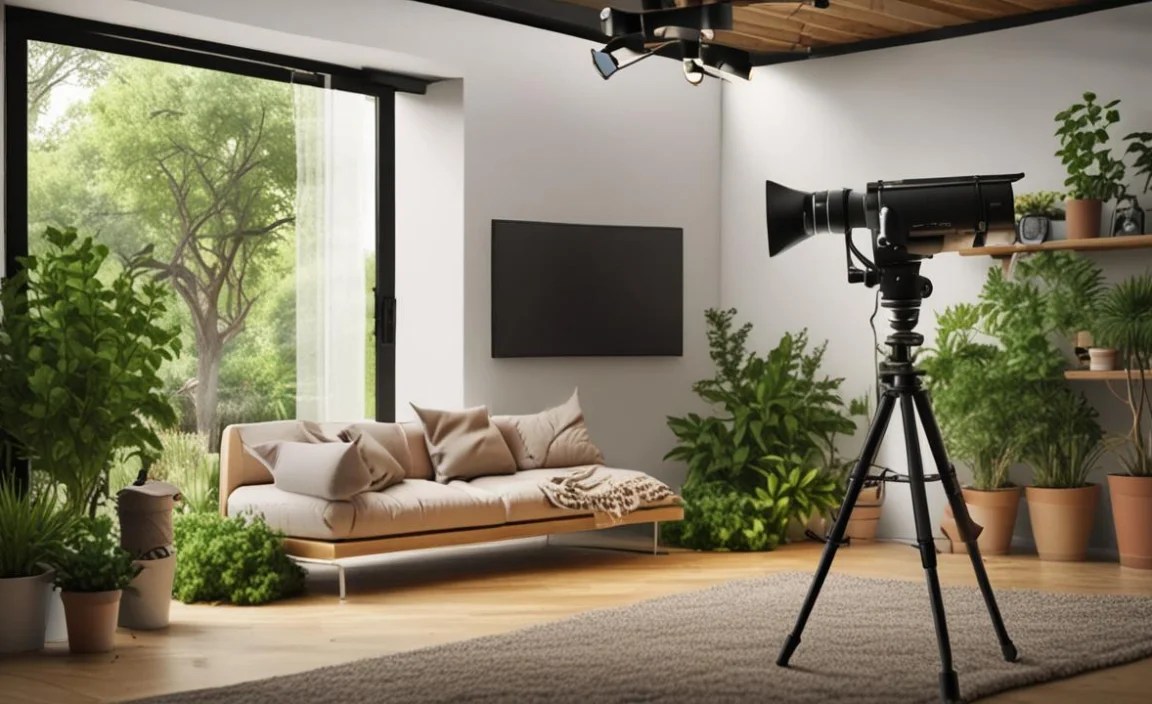
Where you put your cameras is very important. Think about what you want to see. Do you want to watch your vegetable garden? Or your flower beds? Place the cameras where they have a good view. Make sure nothing is blocking the camera’s view. Trees, bushes, and fences can get in the way. You might need to trim plants. You can also adjust the camera’s angle. Try to place cameras out of reach. This stops people from stealing them. You can mount them high on a wall. Or hide them in a birdhouse. Make sure the cameras are secure. You don’t want them to fall down. A well-planned home garden camera setup will give you the best view and keep your cameras safe.
- Consider the camera’s field of view.
- Avoid obstructions like trees and fences.
- Place cameras out of easy reach.
- Secure the cameras tightly.
- Think about the sun’s position to avoid glare.
Think about the sun. The sun can cause glare. This can make it hard to see the video. Try to position the cameras so they are not facing the sun. You can also use a sun shield. This will block the sun’s glare. Check the camera’s range. How far can it see? You might need more than one camera. This will cover your whole garden. Test the cameras after you install them. Walk around your garden. See what the cameras see. Adjust them if needed. You want to make sure you are getting the best view. A good home garden camera setup takes some planning. But it is worth it. You will be able to watch your garden and keep it safe.
How High Should I Mount the Camera?
Mounting height is important for security. A higher camera is harder to reach. This makes it harder for someone to steal. But, a camera that is too high might not see details. Aim for a height of about 8–10 feet. This is high enough to be out of reach. It is low enough to get a good view. You can also use a camera with zoom. This will let you see details even from far away. Consider the angle of the camera. You want to point it down slightly. This will give you a better view of the ground. A well-placed camera will give you the best protection for your home garden camera setup.
Should I Hide the Camera?
Hiding your camera can be a good idea. A hidden camera is less likely to be stolen. It is also less likely to be noticed by intruders. You can hide cameras in birdhouses. Or in fake rocks. Just make sure the camera has a clear view. Some people prefer to have cameras that are visible. This can scare away intruders. It can also let people know they are being watched. Think about what is best for your situation. Do you want to be discreet? Or do you want to send a message? Either way, a home garden camera setup can help protect your garden.
How Do I Protect the Camera from Weather?
Protecting your camera from the weather is very important. Rain, sun, and wind can damage your camera. Look for cameras that are weather-resistant. They will have an IP rating. This tells you how well they handle water and dust. You can also use a camera housing. This is a special case that protects the camera. Some housings even have heaters. This will keep the camera from freezing in cold weather. Check the camera’s warranty. Make sure it covers weather damage. Taking these steps will help your camera last longer. Your home garden camera setup will be more reliable.
Fun Fact or Stat: Some cameras use solar power! These cameras can run without needing to be plugged in, making them perfect for remote garden locations.
Installing Your Home Garden Camera System
Installing your camera system is easier than you think. First, find the best spot for each camera. Make sure they have a clear view. If you have wired cameras, you need to run the cables. You can run them along the fence. Or under the ground. Wireless cameras are easier. You just need to mount them. Then, connect them to your Wi-Fi. Most cameras come with an app. You can use the app to set up the camera. You can also use it to watch the video. Test each camera after you install it. Make sure it is working correctly. Adjust the settings if needed. A good home garden camera setup will give you peace of mind.
- Follow the manufacturer’s instructions carefully.
- Test the Wi-Fi signal strength.
- Use weatherproof connectors for wired cameras.
- Secure the camera mounts tightly.
- Update the camera’s firmware regularly.
Make sure your Wi-Fi is strong enough. The cameras need a good signal. If your Wi-Fi is weak, get a Wi-Fi extender. This will boost the signal. Keep the camera’s software up to date. This will fix bugs and improve security. Change the default password. This will keep your camera safe from hackers. Check the video regularly. This will make sure everything is working. It will also let you spot any problems. Setting up a home garden camera setup is a great way to protect your garden. It is also a fun way to watch your plants grow.
What Tools Do I Need?
You will need a few tools to install your camera system. A drill will help you mount the cameras. A screwdriver will help you tighten the screws. A ladder will help you reach high places. Wire cutters will help you cut the cables. A Wi-Fi analyzer app can help you check the signal strength. A level will help you make sure the cameras are straight. Having the right tools will make the job easier. It will also help you do it right. A well-installed home garden camera setup is a safe and reliable one.
How Do I Connect Wireless Cameras to Wi-Fi?
Connecting wireless cameras to Wi-Fi is usually easy. Most cameras have an app. You download the app to your phone. The app will guide you through the process. You will need your Wi-Fi password. The app will ask you to enter it. The camera will then connect to your Wi-Fi. Some cameras have a QR code. You can scan the code with your phone. This will connect the camera to Wi-Fi automatically. Make sure your Wi-Fi is strong enough. The camera needs a good signal. A strong Wi-Fi signal is key to a good home garden camera setup.
How Do I Secure the Cables for Wired Cameras?
Securing the cables for wired cameras is important. You don’t want them to get damaged. You also don’t want people to trip over them. You can run the cables along the fence. Use zip ties to attach them. You can also bury the cables underground. This will protect them from the weather. Use waterproof connectors. This will keep the water out. Check the cables regularly. Make sure they are still secure. A well-secured cable system is a safe and reliable part of your home garden camera setup.
Fun Fact or Stat: Some cameras can be controlled with your voice! You can ask your smart home assistant to show you the garden view.
Using Motion Detection for Your Garden Camera

Motion detection is a great feature for garden cameras. It lets the camera record only when something is moving. This saves storage space. It also makes it easier to find important events. You don’t have to watch hours of empty video. Most cameras let you adjust the sensitivity. This controls how much movement it takes to trigger the recording. You can also set up zones. This lets you focus on specific areas. For example, you can focus on your vegetable garden. This will ignore movement in other areas. Motion detection can help you catch animals. It can also help you catch intruders. A good home garden camera setup uses motion detection to its full potential.
- Adjust the sensitivity to avoid false alarms.
- Set up specific motion detection zones.
- Use motion detection to save storage space.
- Review motion detection events regularly.
- Combine motion detection with alerts.
Think about what you want to watch. Do you want to see animals? Or are you more worried about intruders? Adjust the sensitivity accordingly. Too sensitive, and you will get lots of false alarms. Too little sensitivity, and you might miss something important. Test the motion detection. Walk around your garden. See if the camera records you. Adjust the settings until you are happy. Motion detection can be a powerful tool. It can help you protect your garden. It can also help you learn more about what happens when you are not there. Using motion detection wisely will improve your home garden camera setup.
What Causes False Alarms?
False alarms can be annoying. They can waste storage space. They can also make you ignore real alerts. Common causes of false alarms include: wind, rain, and animals. Trees and bushes moving in the wind can trigger the camera. Rain can also set it off. Small animals like birds and squirrels can trigger the camera. Adjust the sensitivity to reduce false alarms. You can also set up zones. This will ignore movement in certain areas. A well-tuned home garden camera setup will have fewer false alarms.
How Do I Set Up Motion Detection Zones?
Setting up motion detection zones is easy. Most cameras have an app. The app will let you draw zones on the screen. You can focus on specific areas. For example, you can focus on your vegetable garden. This will ignore movement in other areas. You can also exclude areas. For example, you can exclude a busy street. This will ignore cars driving by. Setting up zones can reduce false alarms. It can also help you focus on what is important. Zones are a key part of an effective home garden camera setup.
How Do I Get Alerts on My Phone?
Getting alerts on your phone is very useful. It lets you know when something is happening. Most cameras have an app. The app will let you set up alerts. You can choose what triggers the alerts. For example, you can get alerts for motion detection. You can also get alerts for sound detection. The app will send a notification to your phone. You can then watch the video. This will let you see what is happening. Alerts can help you respond quickly. They are a great feature for your home garden camera setup.
Fun Fact or Stat: Some cameras use AI to tell the difference between a person and an animal, reducing false alarms even more!
Storing and Reviewing Your Garden Camera Footage
Storing your camera footage is important. You need to have a place to keep the videos. There are a few options. You can store the videos on a memory card. This is a simple and cheap option. But, the memory card can fill up. You can also store the videos on a hard drive. This gives you more storage space. But, you need to connect the hard drive to your camera. Another option is cloud storage. This lets you store the videos online. This is convenient. But, it can cost money. Choose the option that is best for you. Review your footage regularly. This will help you spot problems. It will also let you see all the fun things that happen in your garden. A good home garden camera setup includes a plan for storing and reviewing footage.
| Storage Option | Pros | Cons | Best For |
|---|---|---|---|
| Memory Card | Simple, cheap | Limited storage | Small gardens, short-term storage |
| Hard Drive | More storage, local control | Requires connection, can fail | Larger gardens, longer storage needs |
| Cloud Storage | Convenient, remote access | Costs money, relies on internet | Easy access, offsite backup |
| NVR (Network Video Recorder) | Centralized storage, professional features | More complex setup, higher cost | Large properties, multiple cameras |
- Choose a storage option that fits your needs.
- Review footage regularly for problems.
- Back up your footage in case of loss.
- Organize your footage for easy access.
- Consider cloud storage for remote access.
Think about how much storage you need. How often do you want to review the footage? Do you want to be able to access the footage from anywhere? These questions will help you choose the right storage option. Make sure to back up your footage. This will protect you from losing it. You can back it up to a hard drive. Or to the cloud. Organize your footage. This will make it easier to find what you are looking for. Label the videos with dates and times. This will help you find specific events. A well-organized home garden camera setup will make it easy to review your footage and keep your garden safe.
How Much Storage Do I Need?
The amount of storage you need depends on a few things. How many cameras do you have? How often do they record? What resolution do they record in? Higher resolution videos take up more space. Motion detection can help you save space. It only records when something is moving. A good rule of thumb is to start with at least 64GB. You can always upgrade later if you need more. A well-planned home garden camera setup includes enough storage for your needs.
How Do I Back Up My Footage?
Backing up your footage is important. It protects you from losing it. There are a few ways to back up your footage. You can copy it to a hard drive. You can also upload it to the cloud. Cloud storage is convenient. But, it can cost money. A hard drive is a one-time cost. But, you need to remember to back up the footage regularly. Choose the option that is best for you. A backed-up home garden camera setup will give you peace of mind.
How Often Should I Review My Footage?
How often you review your footage depends on your needs. If you are worried about intruders, you should review it daily. If you just want to watch your plants grow, you can review it weekly. Motion detection can help you focus on important events. This will save you time. A regular review of your footage will help you spot problems. It will also let you see all the fun things that happen in your garden. A well-maintained home garden camera setup includes regular footage review.
Fun Fact or Stat: Some advanced systems can even analyze your footage and send you reports on plant growth or potential problems!
Maintaining Your Home Garden Camera Setup
Keeping your cameras working well is important. Check them regularly. Make sure they are clean. Wipe the lenses with a soft cloth. This will remove dirt and dust. Check the cables. Make sure they are secure. Update the camera’s software. This will fix bugs and improve security. Check the storage. Make sure you have enough space. Replace the batteries if needed. A well-maintained home garden camera setup will last longer. It will also work better. This will keep your garden safe and sound.
- Clean the camera lenses regularly.
- Check the cables and connections.
- Update the camera’s software.
- Check the storage space.
- Replace batteries as needed.
Think about the weather. Extreme weather can damage your cameras. Protect them from the sun and rain. Check the camera’s position. Make sure it is still pointing in the right direction. Adjust it if needed. Test the motion detection. Make sure it is still working. A little maintenance can go a long way. It will keep your home garden camera setup working its best. You will be able to watch your garden and keep it safe for years to come.
How Do I Clean the Camera Lens?
Cleaning the camera lens is easy. Use a soft, dry cloth. Gently wipe the lens. Do not use soap or water. This can damage the lens. You can also use a lens cleaning solution. Spray it on the cloth. Then, wipe the lens. Be careful not to scratch the lens. A clean lens will give you a clear picture. A well-maintained home garden camera setup includes a clean lens.
How Often Should I Update the Software?
You should update the software whenever there is an update. The camera’s app will usually tell you when there is an update. Updates fix bugs. They also improve security. Keeping your software up to date is important. It will keep your camera working well. It will also protect it from hackers. A well-maintained home garden camera setup includes regular software updates.
How Do I Extend the Life of My Camera?
There are a few things you can do to extend the life of your camera. Protect it from the weather. Clean it regularly. Update the software. Check the cables. Replace the batteries. These simple steps will help your camera last longer. A well-maintained home garden camera setup will give you years of service. You will be able to watch your garden and keep it safe for a long time.
Fun Fact or Stat: Some cameras have self-cleaning lenses, making maintenance even easier!
Summary
A home garden camera setup can help you watch your plants grow. It can also help you protect your garden from pests and intruders. Choosing the right camera is important. Consider wired versus wireless options. Think about weather resistance and night vision. Plan your camera placement carefully. Install the cameras securely. Use motion detection to save storage space. Store your footage safely. Review it regularly. Maintain your cameras to keep them working well. A good camera system can give you peace of mind. It can also show you amazing things you never knew were happening in your garden.
Conclusion
Setting up a home garden camera setup might seem hard. But, it is easier than you think. With a little planning, you can have a great system. You can watch your plants grow. You can spot problems early. You can protect your garden from pests and intruders. Choose the right cameras. Install them carefully. Maintain them regularly. You will enjoy watching your garden and keeping it safe.
Frequently Asked Questions
Question No 1: What is the best type of camera for a home garden?
Answer: The best type of camera depends on your needs. Wireless cameras are easy to install and move around. Wired cameras are more reliable and secure. Consider weather resistance, night vision, and motion detection. Dome cameras are good for general surveillance. Bullet cameras are good for focusing on one area. PTZ cameras let you pan, tilt, and zoom. Think about what is most important to you. A good home garden camera setup starts with the right camera for your needs.
Question No 2: How do I protect my garden camera from theft?
Answer: Protect your garden camera by placing it out of reach. Mount it high on a wall or fence. Use a secure mount that is hard to remove. You can also hide the camera. Put it in a birdhouse or a fake rock. Make sure the camera has a clear view. Some cameras have tamper alerts. These alerts will notify you if someone tries to move the camera. A well-protected home garden camera setup will keep your cameras safe from theft.
Question No 3: How do I set up motion detection zones?
Answer: Setting up motion detection zones is easy. Most cameras have an app. The app will let you draw zones on the screen. You can focus on specific areas. For example, you can focus on your vegetable garden. This will ignore movement in other areas. You can also exclude areas. For example, you can exclude a busy street. This will ignore cars driving by. Adjust the sensitivity to avoid false alarms. Motion detection zones are a key part of an effective home garden camera setup.
Question No 4: What is the best way to store my garden camera footage?
Answer: There are a few options for storing your garden camera footage. You can store it on a memory card. This is a simple and cheap option. But, the memory card can fill up. You can also store it on a hard drive. This gives you more storage space. Another option is cloud storage. This lets you store the videos online. This is convenient. Choose the option that is best for you. Remember to back up your footage. This will protect you from losing it. Cloud storage offers a great way to manage your home garden camera setup video history.
Question No 5: How often should I check my garden camera footage?
Answer: How often you check your footage depends on your needs. If you are worried about intruders, you should check it daily. If you just want to watch your plants grow, you can check it weekly. Motion detection can help you focus on important events. This will save you time. A regular review of your footage will help you spot problems. It will also let you see all the fun things that happen in your garden. Integrating this habit helps maximise the benefits of your home garden camera setup.
Question No 6: How do I extend the battery life of my wireless garden camera?
Answer: To extend the battery life of your wireless garden camera, adjust the motion detection sensitivity. Lower sensitivity means fewer recordings. Use a lower video resolution. This uses less power. Choose a camera with a large battery. Consider using a solar panel to charge the battery. Check the camera’s settings for power-saving options. Reducing unnecessary activity will help your home garden camera setup last longer between charges.
