Do you want your house to look nice at night? Do you want to save energy? Setting up a timer for your outdoor lights can help. It is easier than you think. This article will show you how.
Imagine your outdoor lights turning on automatically. You come home to a bright, safe house. No more fumbling for keys in the dark! Timers can do this for you. They also turn lights off when you don’t need them. Timers are a smart way to manage outdoor lights.
Have you ever left your lights on all night by accident? It wastes energy and money. A timer can prevent this. You can set it and forget it. Your lights will turn on and off at the times you choose. This helps you save energy and money.
Key Takeaways
- Using a timer for outdoor lights saves energy and reduces your electricity bill.
- Setting up a timer for outdoor lights enhances home security by deterring intruders.
- Timers automate your lighting schedule, providing convenience and peace of mind.
- You can choose from various types of timers, including mechanical and digital options.
- Proper installation and programming ensure your outdoor lights function efficiently.
How to Setup Timer Outdoor Lights: A Guide
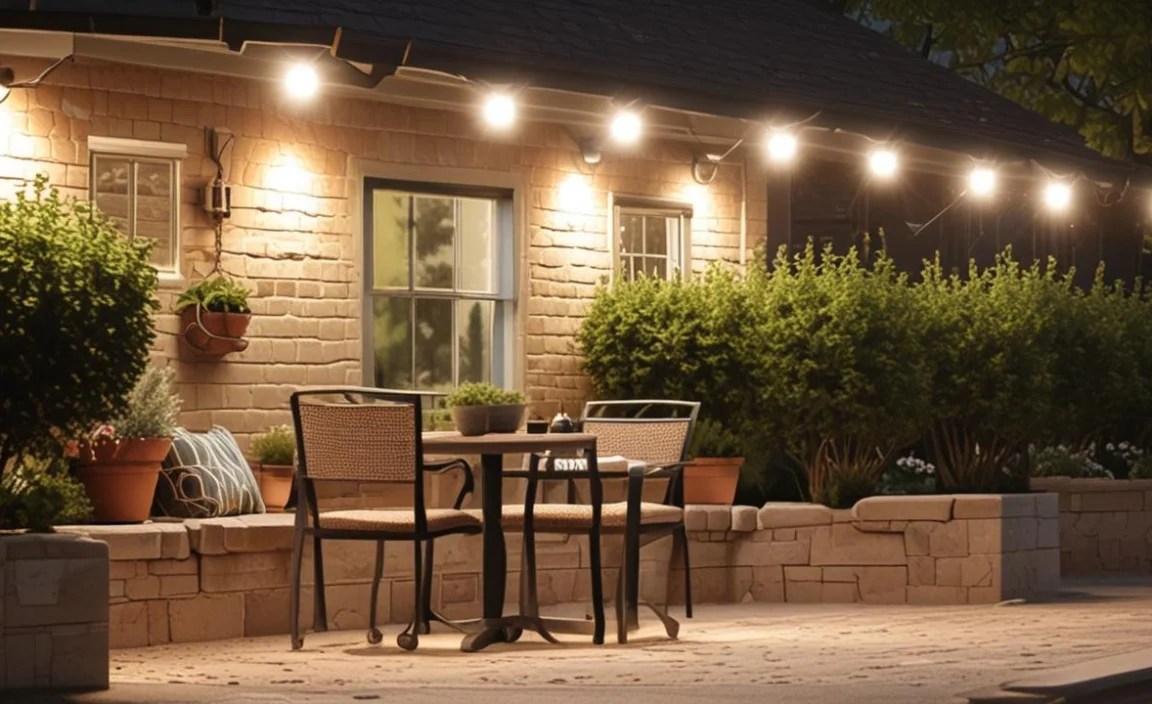
Setting up timer outdoor lights is a simple way to improve your home. It makes your home safer. It also saves you money. You can choose from many types of timers. Mechanical timers are easy to use. Digital timers offer more features. Smart timers can be controlled with your phone. No matter what you choose, the basic steps are the same. First, you need to pick the right timer for your lights. Consider how many lights you want to control. Think about whether you need weather-resistant features. Next, you will install the timer. This usually involves plugging it into an outlet. Then, you plug your lights into the timer. Finally, you will program the timer. Set the times you want the lights to turn on and off. With a little effort, you can enjoy the benefits of automated outdoor lighting.
- Choose the right type of timer for your needs.
- Read the instructions that come with your timer.
- Make sure the timer is compatible with your lights.
- Test the timer after you set it up.
- Adjust the settings as needed for different seasons.
Once your timer is set up, you can enjoy the convenience of automated lighting. Your lights will turn on and off without you having to do anything. This is great for when you are on vacation. It makes your house look lived in. It also helps keep your home safe. Timers also help save energy. You won’t have to worry about leaving your lights on all night. This can lower your electricity bill. Plus, you are helping the environment. Timers are a smart and easy way to manage your outdoor lights. Consider getting one today.
Why Use a Timer for Outdoor Lights?
Have you ever wondered why people use timers for their outdoor lights? There are many good reasons. First, it makes your home safer. When lights turn on automatically at night, it looks like someone is home. This can scare away burglars. Second, it saves energy. You won’t have to worry about forgetting to turn off the lights. The timer does it for you. This can save you money on your electricity bill. Third, it is convenient. You don’t have to go outside to turn the lights on and off. The timer does it for you. This is especially helpful in the winter. You don’t have to go out in the cold. Timers make life easier and safer.
Choosing the Right Timer
Choosing the right timer can seem tricky. There are many options available. You can choose from mechanical timers, digital timers, and smart timers. Mechanical timers are simple and easy to use. They have a dial that you turn to set the time. Digital timers have a screen and buttons. They offer more features. Smart timers connect to your phone. You can control them from anywhere. Consider your needs and budget when choosing a timer. If you want something simple, a mechanical timer is a good choice. If you want more features, a digital or smart timer might be better. Think about what is most important to you.
Installing Your Outdoor Light Timer
Installing your outdoor light timer is usually very easy. Most timers simply plug into an existing outlet. Some timers may require you to replace an existing switch. Read the instructions that come with your timer. They will tell you exactly how to install it. Make sure to turn off the power before you start. This will keep you safe. If you are not comfortable working with electricity, ask an adult to help you. Once the timer is installed, you can plug in your lights. Then, you can program the timer to turn on and off at the times you want. Installation is usually quick and easy.
Fun Fact or Stat: Did you know that using a timer for your outdoor lights can save you up to 33% on your energy bill? That’s a lot of money!
Benefits of Setting Up Outdoor Light Timers

Setting up outdoor light timers offers many benefits. These timers make life easier and safer. They also help you save money on your electricity bill. When you have a timer, you don’t have to worry about turning your lights on and off. The timer does it for you. This is especially helpful when you are away from home. It makes your house look lived in. This can deter burglars and keep your home safe. Timers also help you save energy. You won’t have to worry about leaving your lights on all night. This can lower your electricity bill. Plus, you are helping the environment. Timers are a smart and easy way to manage your outdoor lights.
- Increased home security by deterring potential intruders.
- Reduced energy consumption and lower electricity bills.
- Convenience of automated lighting schedules.
- Extended lifespan of your outdoor lights.
- Environmentally friendly by reducing energy waste.
Using timers for outdoor lights is an environmentally friendly choice. When you reduce your energy consumption, you help protect the planet. Less energy use means less pollution. This is good for the environment. Timers also help extend the lifespan of your outdoor lights. By not leaving them on all the time, you can make them last longer. This saves you money on replacement bulbs. Overall, using timers for your outdoor lights is a smart and responsible choice. It benefits you, your wallet, and the environment. Consider making the switch today and enjoy the many advantages.
Energy Savings with Timers
Do you want to save money on your energy bill? Timers can help. When you use a timer for your outdoor lights, you reduce your energy consumption. You only use the lights when you need them. This can make a big difference in your electricity bill. Over time, the savings can really add up. You can use that money for other things. Plus, you are helping the environment. Less energy use means less pollution. It’s a win-win situation. Timers are a simple way to save energy and money.
Enhanced Home Security
Are you worried about home security? Timers can help with that too. When your outdoor lights turn on automatically at night, it looks like someone is home. This can deter burglars. They are less likely to target a house that looks occupied. Timers give you peace of mind. You know your home is protected, even when you are away. It’s a simple way to make your home safer. Consider using timers to enhance your home security.
Convenience and Automation
Imagine never having to worry about turning your outdoor lights on or off. With a timer, you don’t have to. The timer does it for you. This is especially helpful when you are on vacation. You don’t have to ask a neighbor to turn on your lights. The timer takes care of it. It’s also great for those cold winter nights. You don’t have to go outside to turn off the lights. Timers offer convenience and automation. They make life a little bit easier.
Fun Fact or Stat: A smart timer can adjust lighting schedules automatically based on sunrise and sunset times, saving you even more energy!
Choosing the Right Type of Outdoor Light Timer

Choosing the right timer is important. There are several types of timers available. Each type has its own features and benefits. Mechanical timers are simple and easy to use. They have a dial that you turn to set the time. Digital timers offer more precise control. They have a screen and buttons. Smart timers connect to your phone. You can control them from anywhere. Consider your needs and budget when choosing a timer. If you want something simple, a mechanical timer is a good choice. If you want more features, a digital or smart timer might be better. Think about what is most important to you. Also, make sure the timer is rated for outdoor use.
- Mechanical timers: Simple, affordable, and easy to use.
- Digital timers: Offer precise control and more features.
- Smart timers: Can be controlled remotely via smartphone.
- Photocell timers: Automatically turn lights on at dusk and off at dawn.
- Outdoor-rated timers: Designed to withstand weather conditions.
Photocell timers are another option to consider. These timers automatically turn your lights on at dusk and off at dawn. They use a light sensor to detect when it is dark. This is a great option if you want your lights to turn on and off based on the natural light. Photocell timers are very convenient. No matter what type of timer you choose, make sure it is rated for outdoor use. This means it is designed to withstand weather conditions like rain and snow. Outdoor-rated timers are more durable and will last longer. When choosing a timer, think about your specific needs and preferences. This will help you find the perfect timer for your outdoor lights.
Mechanical Timers: Simplicity at Its Best
Mechanical timers are the simplest type of timer. They have a dial that you turn to set the time. They are easy to use and don’t require any programming. Mechanical timers are a good choice if you want something simple and affordable. They are also reliable. They don’t rely on batteries or electricity to keep time. Mechanical timers are a great option for basic outdoor lighting needs. They are easy to set up and use.
Digital Timers: Precision and Control
Digital timers offer more precise control than mechanical timers. They have a screen and buttons that you use to set the time. Digital timers allow you to set multiple on/off times. This is helpful if you want your lights to turn on and off at different times on different days. Digital timers may also have other features, such as a countdown timer or a random mode. Digital timers offer more flexibility and control.
Smart Timers: Remote Control and Automation
Smart timers are the most advanced type of timer. They connect to your phone via Wi-Fi. This allows you to control your lights from anywhere. You can turn your lights on and off, set schedules, and even monitor your energy usage. Smart timers offer the ultimate in convenience and automation. They can also integrate with other smart home devices. Smart timers are a great choice for tech-savvy users. They offer many features and benefits.
| Timer Type | Pros | Cons | Best For |
|---|---|---|---|
| Mechanical | Simple, affordable, reliable | Less precise, fewer features | Basic outdoor lighting |
| Digital | Precise control, more features | More complex to program | Multiple on/off times |
| Smart | Remote control, automation | More expensive, requires Wi-Fi | Tech-savvy users |
| Photocell | Automatic dusk-to-dawn operation | May not be suitable for all locations | Hands-free lighting control |
Fun Fact or Stat: Smart timers can be integrated with voice assistants like Alexa or Google Assistant, allowing you to control your lights with voice commands!
Step-by-Step Guide to Installing Outdoor Light Timers

Installing an outdoor light timer is easy. You can do it yourself with a few simple tools. First, make sure you have the right type of timer for your needs. Choose a timer that is rated for outdoor use. This means it is designed to withstand weather conditions. Next, turn off the power to the outlet you will be using. This is important for your safety. Then, plug the timer into the outlet. Make sure it is securely plugged in. Next, plug your outdoor lights into the timer. Finally, program the timer according to the instructions. Follow these steps for a safe and easy installation. Test the timer to make sure it is working properly.
- Turn off the power to the outlet before starting.
- Plug the timer securely into the outlet.
- Plug your outdoor lights into the timer.
- Program the timer according to the instructions.
- Test the timer to ensure it is working correctly.
- Use weatherproof connectors for added safety.
Weatherproof connectors are important for outdoor installations. These connectors protect the electrical connections from moisture. This prevents corrosion and ensures a safe and reliable connection. Weatherproof connectors are especially important in wet or humid climates. They will help your timer and lights last longer. When installing your timer, take your time and follow the instructions carefully. If you are not comfortable working with electricity, ask an adult to help you. With a little effort, you can easily install an outdoor light timer and enjoy the benefits of automated lighting.
Preparing for Installation
Before you start the installation, gather all the necessary tools and materials. You will need a screwdriver, a pair of pliers, and a weatherproof extension cord if needed. Make sure the timer is rated for outdoor use. Check the voltage and wattage of your lights to ensure they are compatible with the timer. Read the instructions carefully before you begin. Proper preparation is key to a successful installation. This will save you time and frustration.
Connecting the Timer
Connecting the timer is usually very simple. Most timers simply plug into an existing outlet. Some timers may require you to replace an existing switch. Read the instructions that come with your timer. They will tell you exactly how to connect it. Make sure to turn off the power before you start. This will keep you safe. If you are not comfortable working with electricity, ask an adult to help you. Safety is the most important thing.
Testing the Timer
After you have installed the timer, test it to make sure it is working properly. Set the timer to turn on the lights in a few minutes. Then, wait to see if the lights turn on at the scheduled time. If the lights do not turn on, check the connections and the timer settings. Make sure the power is turned on. Testing the timer is important to ensure it is working correctly. It’s better to find a problem now than later.
Fun Fact or Stat: Properly installed and programmed outdoor light timers can increase your home’s curb appeal, making it more attractive to potential buyers!
Programming Your Outdoor Light Timer Effectively
Programming your outdoor light timer is crucial. This ensures your lights turn on and off at the right times. Most timers have simple instructions. Read them carefully. For mechanical timers, you usually set the time by moving pins or dials. For digital timers, you use buttons to set the on and off times. Make sure to set the correct time of day. If you want your lights to turn on at dusk and off at dawn, consider using a photocell timer. These timers automatically adjust to the changing seasons. Experiment with different settings to find what works best for you.
- Read the timer’s instructions carefully before programming.
- Set the correct time of day on the timer.
- Program the desired on and off times for your lights.
- Consider using a photocell timer for dusk-to-dawn operation.
- Test the timer settings to ensure they are working correctly.
- Adjust the settings as needed for different seasons.
When programming your timer, consider your specific needs and preferences. Do you want your lights to turn on every night, or only on certain days? Do you want them to turn on and off at the same time every day, or do you want to vary the schedule? Think about your daily routine and how you want your lights to function. You can also use a smart timer to control your lights remotely. This allows you to change the settings from anywhere. This is helpful if you are on vacation or if you want to adjust the schedule on the fly. With a little planning, you can program your timer to perfectly suit your needs.
Understanding Timer Settings
Do you know what all those buttons and dials mean? Understanding timer settings is important. This will allow you to program your timer correctly. Mechanical timers usually have pins or dials that you move to set the on and off times. Digital timers have buttons that you use to navigate the menu and set the time. Read the instructions carefully to understand how to use the timer settings. This will help you avoid mistakes.
Setting On and Off Times
Setting the on and off times is the most important part of programming your timer. Think about when you want your lights to turn on and off. Do you want them to turn on at dusk and off at dawn? Do you want them to turn on at a specific time, such as 6 PM? Do you want them to turn off at a specific time, such as 11 PM? Consider your needs and preferences when setting the on and off times. You can always adjust the settings later if needed.
Adjusting for Seasonal Changes
Did you know that the time of sunrise and sunset changes throughout the year? You may need to adjust your timer settings to account for these seasonal changes. In the summer, the days are longer, so you may want to set your lights to turn on later. In the winter, the days are shorter, so you may want to set your lights to turn on earlier. Adjusting for seasonal changes will help you save energy. It will also ensure your lights turn on and off at the right times.
Fun Fact or Stat: Some advanced timers have an “astronomical clock” feature that automatically adjusts the on/off times based on your location and the changing sunrise and sunset times throughout the year!
Troubleshooting Common Outdoor Light Timer Issues
Sometimes, things don’t go as planned. You might have issues with your outdoor light timer. Don’t worry, many problems are easy to fix. First, check the power. Make sure the timer is plugged in and the outlet is working. Next, check the timer settings. Make sure the on and off times are set correctly. Also, make sure the timer is set to the correct time of day. If your lights are not turning on, check the light bulbs. Make sure they are not burned out. Troubleshooting can help you solve problems quickly. If you are still having problems, consult the timer’s instructions or contact a qualified electrician.
- Check the power supply to the timer and lights.
- Verify the timer settings for correct on and off times.
- Ensure the light bulbs are not burned out or damaged.
- Inspect the wiring for any loose connections or damage.
- Reset the timer to its default settings and reprogram it.
- Consult the timer’s instructions or a qualified electrician if needed.
If you are experiencing problems with your timer, it is important to take a systematic approach to troubleshooting. Start with the simplest solutions first. Check the power and the timer settings. Then, move on to more complex solutions. Inspect the wiring and the light bulbs. By following a step-by-step approach, you can usually identify and fix the problem. Remember to always turn off the power before working on any electrical components. This will keep you safe. With a little patience, you can get your outdoor light timer working properly again.
Lights Not Turning On
What if your lights won’t turn on? This is a common problem. First, check the power. Make sure the timer is plugged in and the outlet is working. You can test the outlet with another device. Next, check the light bulbs. Make sure they are not burned out. If the power and the bulbs are okay, check the timer settings. Make sure the on time is set correctly. Troubleshooting can help you find the problem.
Lights Not Turning Off
What if your lights won’t turn off? This is another common problem. First, check the timer settings. Make sure the off time is set correctly. Also, make sure the timer is not set to “override” mode. This mode keeps the lights on all the time. If the settings are okay, try resetting the timer. This can sometimes fix the problem. Resetting the timer can often resolve issues.
Timer Not Keeping Time
Is your timer losing time or not keeping time accurately? This can be a frustrating problem. First, check the battery. Some timers have a battery backup. If the battery is low, the timer may not keep time accurately. Replace the battery if needed. If your timer does not have a battery, it may be a faulty unit. Consider replacing the timer if it is not keeping time. This ensures accurate operation.
Fun Fact or Stat: Some timers have a built-in surge protector to protect against power surges that can damage the timer and connected lights!
Summary
Setting up timer outdoor lights is a great way to improve your home’s safety and save energy. It is a simple process that can be done by anyone. First, choose the right type of timer for your needs. Consider whether you want a mechanical, digital, or smart timer. Next, install the timer according to the instructions. Make sure to turn off the power before you start. Then, program the timer to turn on and off at the times you want. Finally, test the timer to make sure it is working properly. By following these steps, you can enjoy the benefits of automated outdoor lighting.
Conclusion
Using a timer for your outdoor lights is a smart choice. It saves energy. It also makes your home safer. Setting up timer outdoor lights is easy. Choose the right timer, install it correctly, and program it to meet your needs. You can enjoy the benefits of automated lighting. Start saving energy and enhancing your home’s security today.
Frequently Asked Questions
Question No 1: What is an outdoor light timer?
Answer: An outdoor light timer is a device that automatically turns your outdoor lights on and off at specific times. It helps you save energy by preventing you from leaving your lights on all night. Timers can be mechanical, digital, or smart. Mechanical timers are simple and easy to use. Digital timers offer more precise control. Smart timers can be controlled with your phone. Using a timer is a smart way to manage your outdoor lights.
Question No 2: Why should I use an outdoor light timer?
Answer: There are many reasons to use an outdoor light timer. First, it saves energy. You won’t have to worry about leaving your lights on all night. Second, it enhances home security. When lights turn on automatically, it looks like someone is home. Third, it is convenient. You don’t have to go outside to turn the lights on and off. Timers make life easier and safer. They also help you save money on your electricity bill. Setting up a timer for your outdoor lights is a smart move.
Question No 3: What types of outdoor light timers are available?
Answer: There are several types of outdoor light timers available. Mechanical timers are simple and easy to use. They have a dial that you turn to set the time. Digital timers offer more precise control. They have a screen and buttons. Smart timers connect to your phone. You can control them from anywhere. Photocell timers automatically turn lights on at dusk and off at dawn. Choose the type of timer that best suits your needs. Consider your budget and your technical skills.
Question No 4: How do I install an outdoor light timer?
Answer: Installing an outdoor light timer is usually very easy. Most timers simply plug into an existing outlet. Some timers may require you to replace an existing switch. Read the instructions that come with your timer. They will tell you exactly how to install it. Make sure to turn off the power before you start. This will keep you safe. If you are not comfortable working with electricity, ask an adult to help you. Safety is the most important thing. Setting up a timer for your outdoor lights can be a fun project.
Question No 5: How do I program an outdoor light timer?
Answer: Programming an outdoor light timer depends on the type of timer you have. Mechanical timers usually have pins or dials that you move to set the on and off times. Digital timers have buttons that you use to navigate the menu and set the time. Read the instructions carefully to understand how to use the timer settings. Make sure to set the correct time of day. Properly programming your timer is essential.
Question No 6: What if my outdoor lights are not working with the timer?
Answer: If your outdoor lights are not working with the timer, there are a few things you can check. First, make sure the timer is plugged in and the outlet is working. Next, check the light bulbs. Make sure they are not burned out. Then, check the timer settings. Make sure the on and off times are set correctly. If you are still having problems, consult the timer’s instructions or contact a qualified electrician. Troubleshooting can help you solve problems quickly. Setting up a timer for your outdoor lights is a smart choice.
